 DarkFlight + Roost
Your whole DarkFlight survey, ready to review
Roost brings the thermal video and acoustic recordings into one place. The composite grid helps you work through the survey. Open an event for closer inspection, then save your decision with the evidence.
Existing user? Log in to Roost
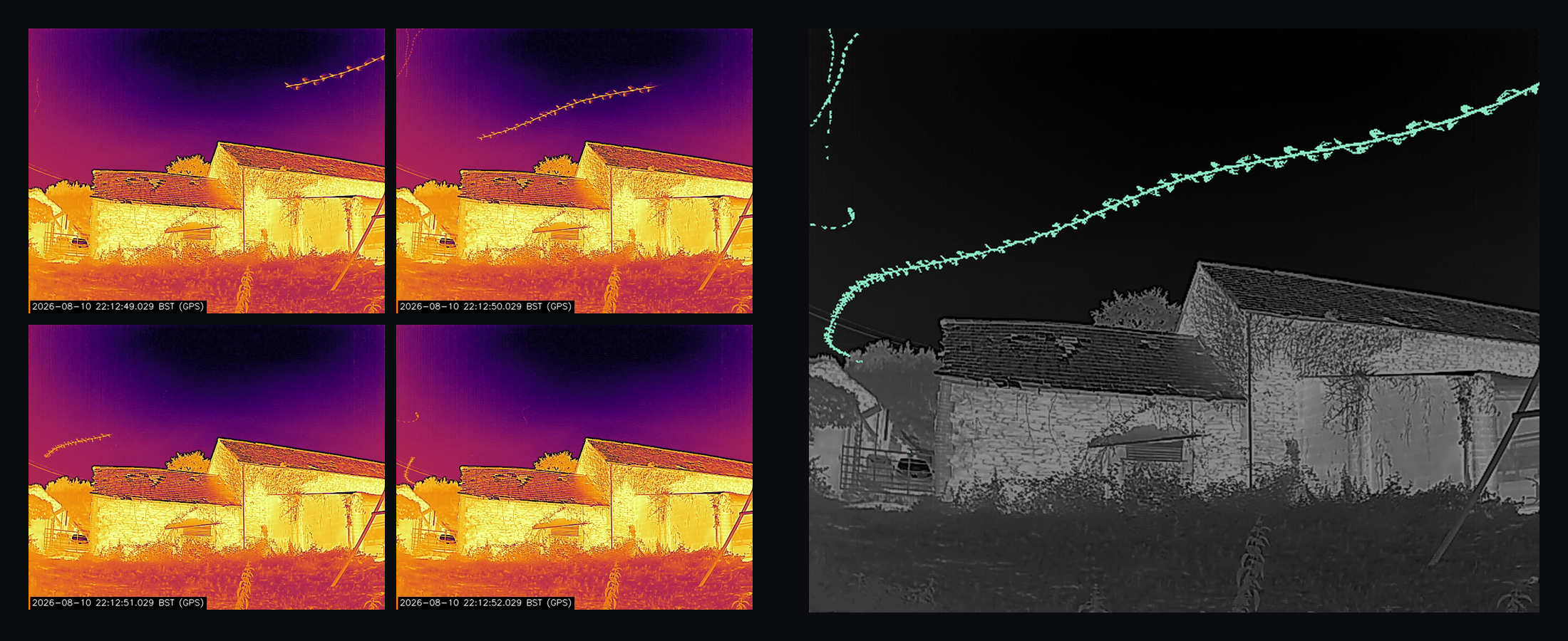
32 seconds in one image
Roost divides the survey into 32-second blocks. Each block gets a composite showing movement across that part of the recording, giving you a quick way to see where something happened.
The grid includes the whole recording. Activity flags can help you decide where to start, while review progress remains tied to every block.
Open the source video whenever you need to check the movement, including when a composite leaves you uncertain.
Find the moments worth a closer look
Roost can filter for thermal changes around a roost feature and for ultrasonic activity in the recording. Use them together to bring forward blocks with both, giving you a useful starting point when there is a lot to work through.
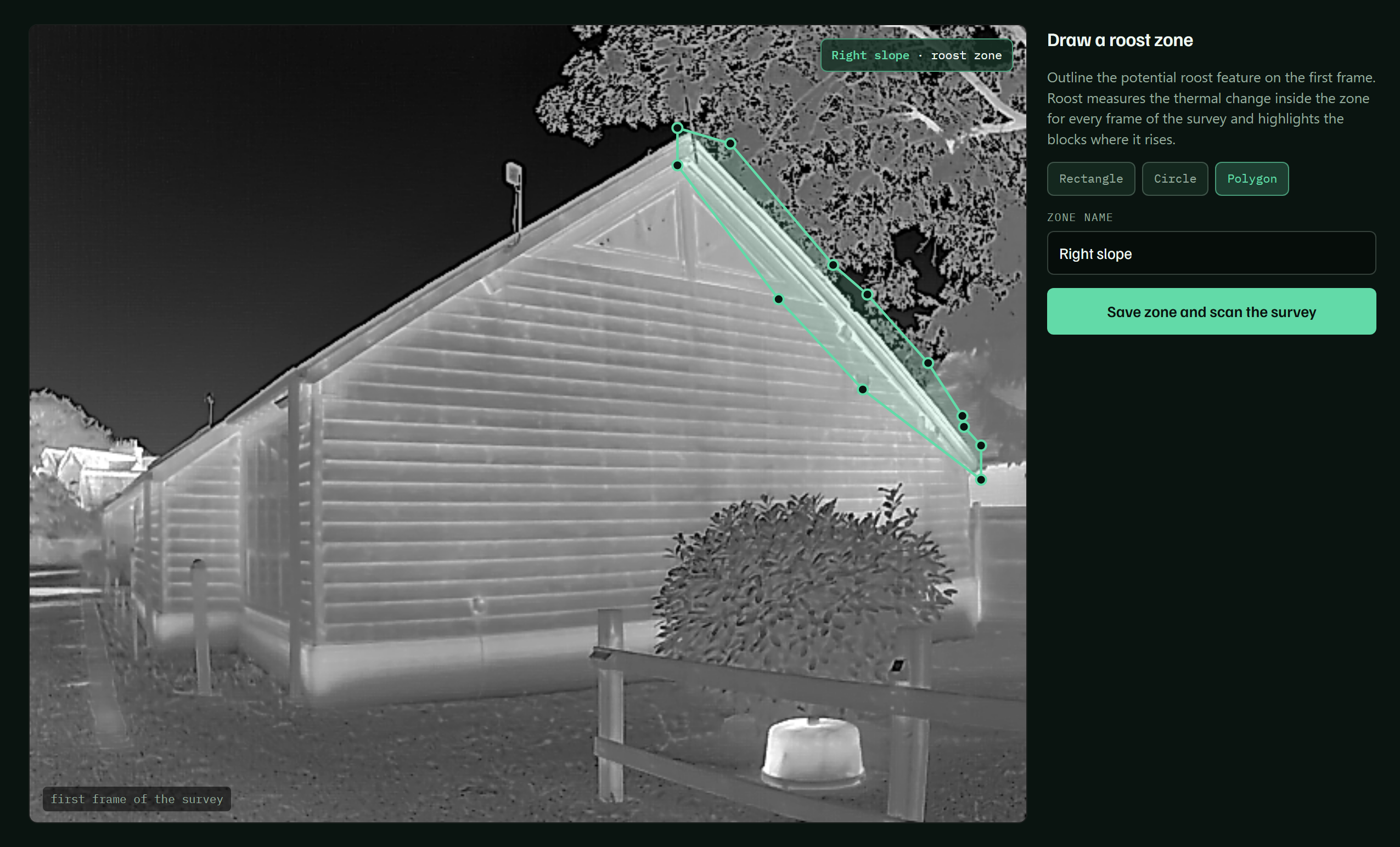
Keep an eye on the roost feature
Draw a zone around the part of the building you want to examine. Roost looks for thermal change within that area and highlights the thermally active blocks. You can use the filter to focus on those periods, then open the original video to see what happened.
The outline can follow a roof edge or an awkward feature, so you can concentrate on the area that matters to your survey.
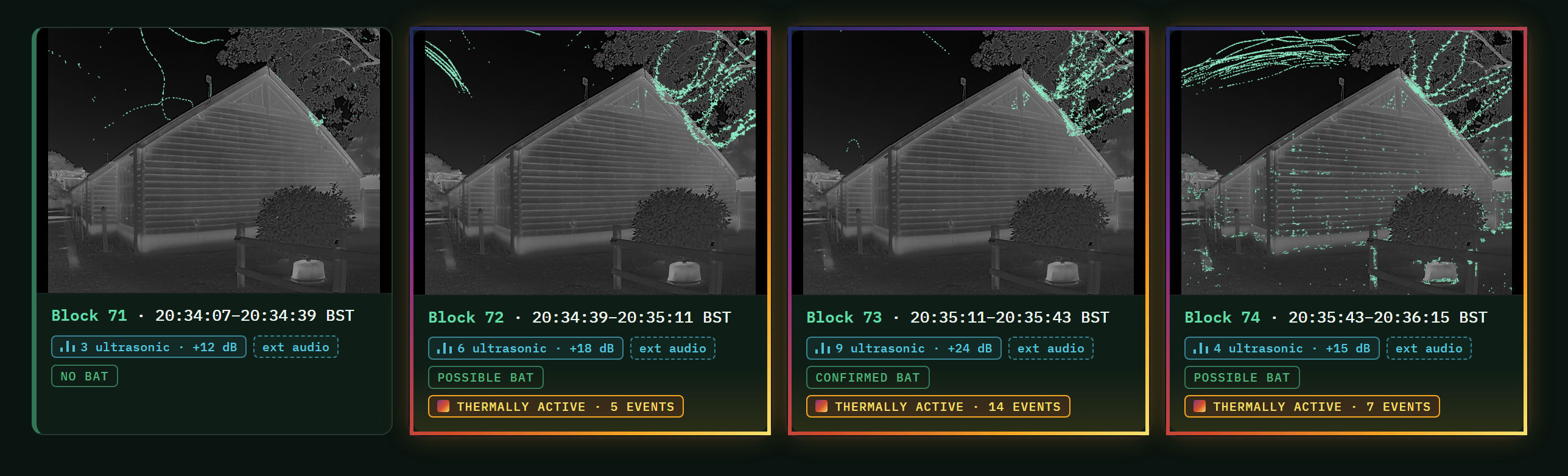
Bring the acoustic activity into the same view
The acoustic filter brings forward blocks containing ultrasonic activity. Combine it with the thermal filter to look first at blocks where changes in the scene and acoustic activity occur within the same part of the survey.
These are moments with higher potential activity for you to inspect. The video and calls remain available so you can decide what the evidence shows.

Every block remains part of the review. Clearing a filter brings the whole survey back into view, and an unflagged block still needs your decision.
Reviewing a survey in Roost
Send your DarkFlight survey to Roost
Upload the recording to your account after capture. Roost keeps the thermal and acoustic evidence on their shared timeline.
Work through the blocks
Use the composites to review the night. Open any block to play the original video with the linked audio, or step through a moment frame by frame.
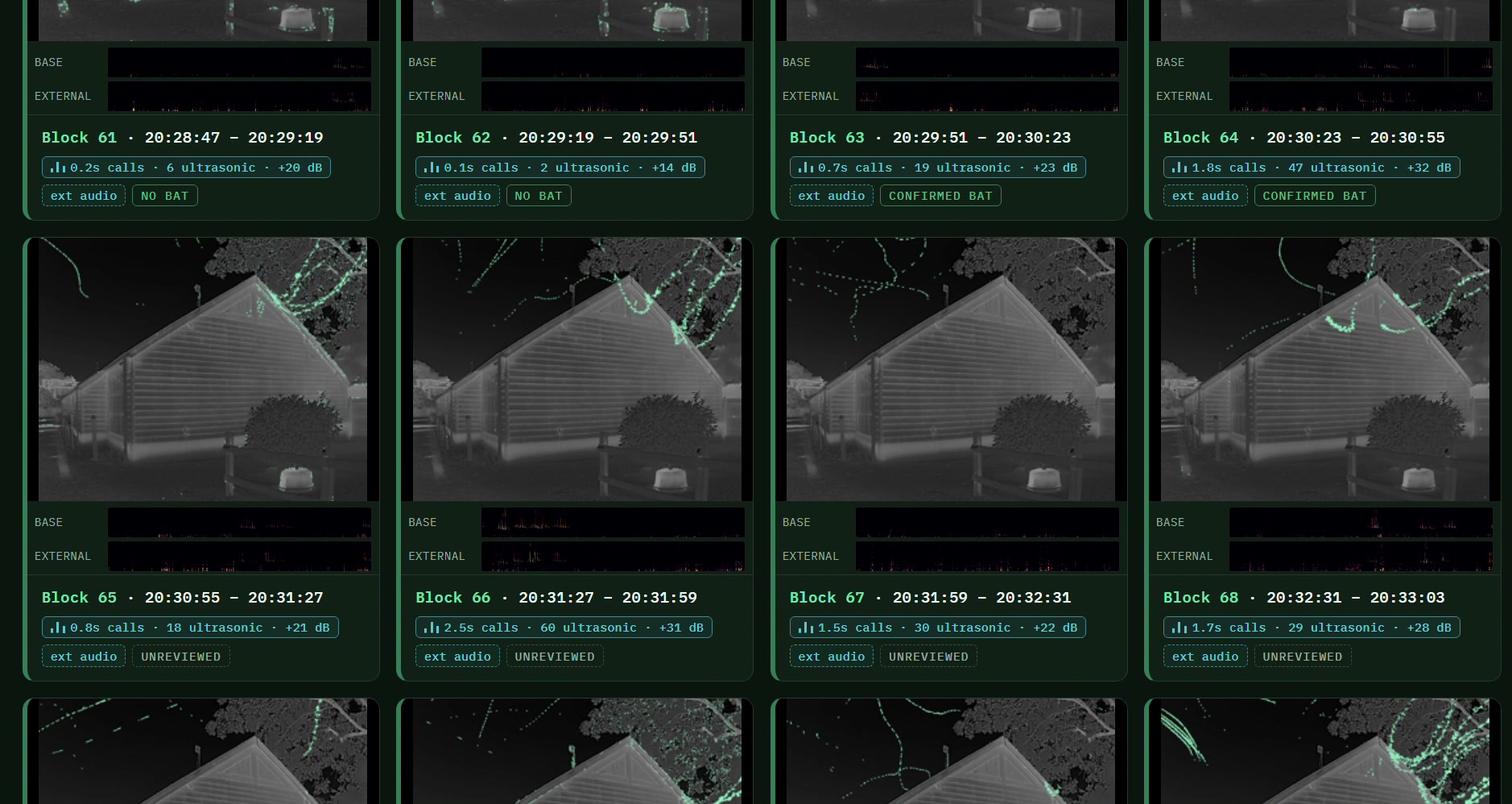
Record what you found
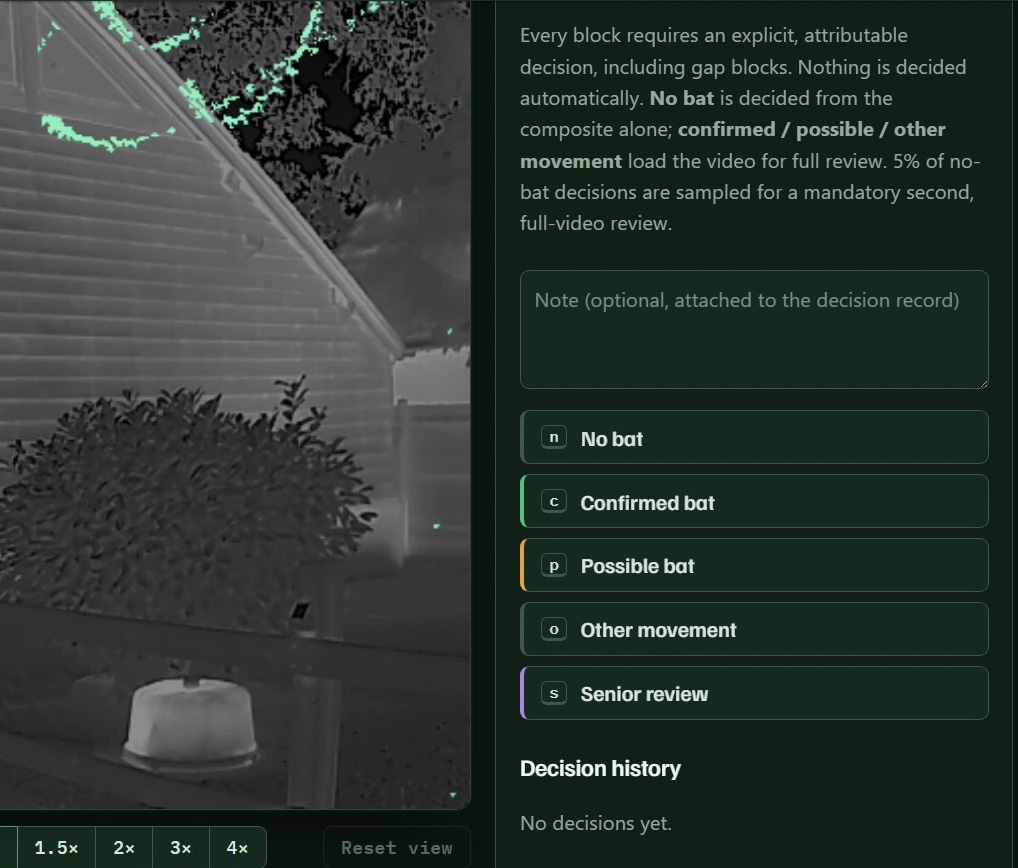
Mark the block as no bat, confirmed, possible or other movement. Add your interpretation and flag anything that needs a senior review. Roost keeps the decision with the evidence.
Save the events for your report
Choose the thermal frame and clip that show the event, then add the sonogram and your species decision. Save separate evidence packages when a block contains more than one event. See how to put a package together in the demonstration below.
A closer look inside Roost
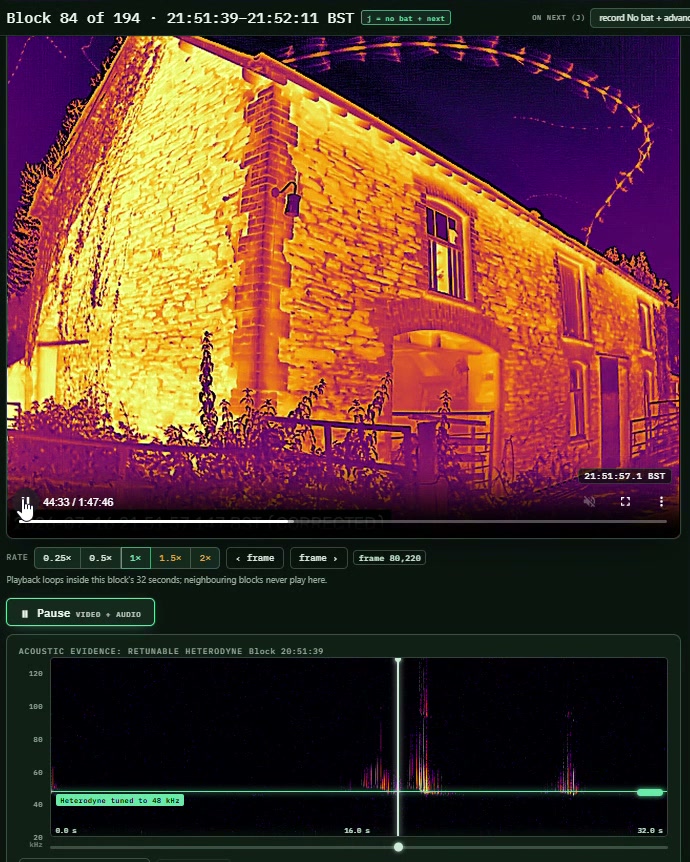
Check the video with the calls alongside it
Play the thermal recording with its acoustic evidence on the same timeline. If you used an external detector, compare that recording with the built-in detector too. Turn the sound on for this clip.
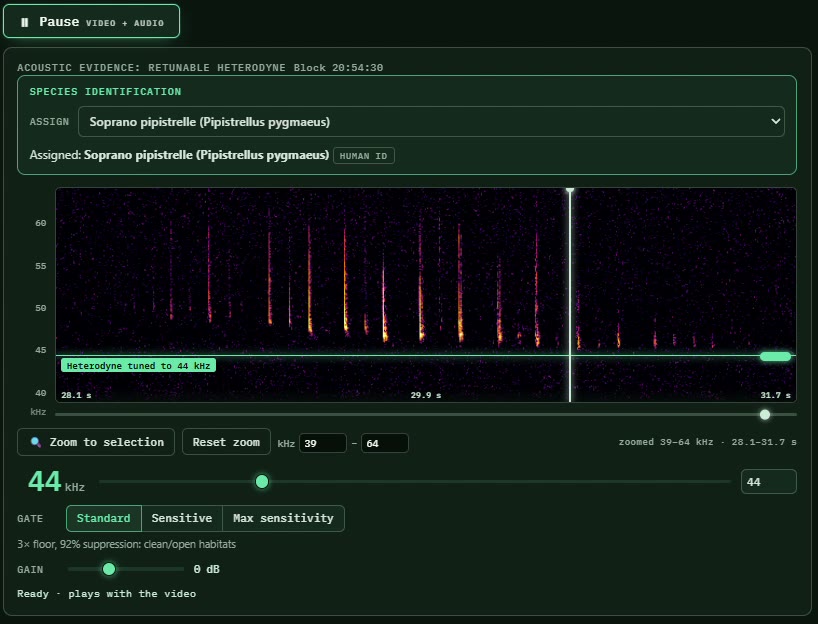
Tune in to a call
Zoom into the sonogram and tune the playback to the call you want to examine. Roost can suggest a species from the acoustic recording. You check it and confirm or change the suggestion.
Keep the evidence for each event together
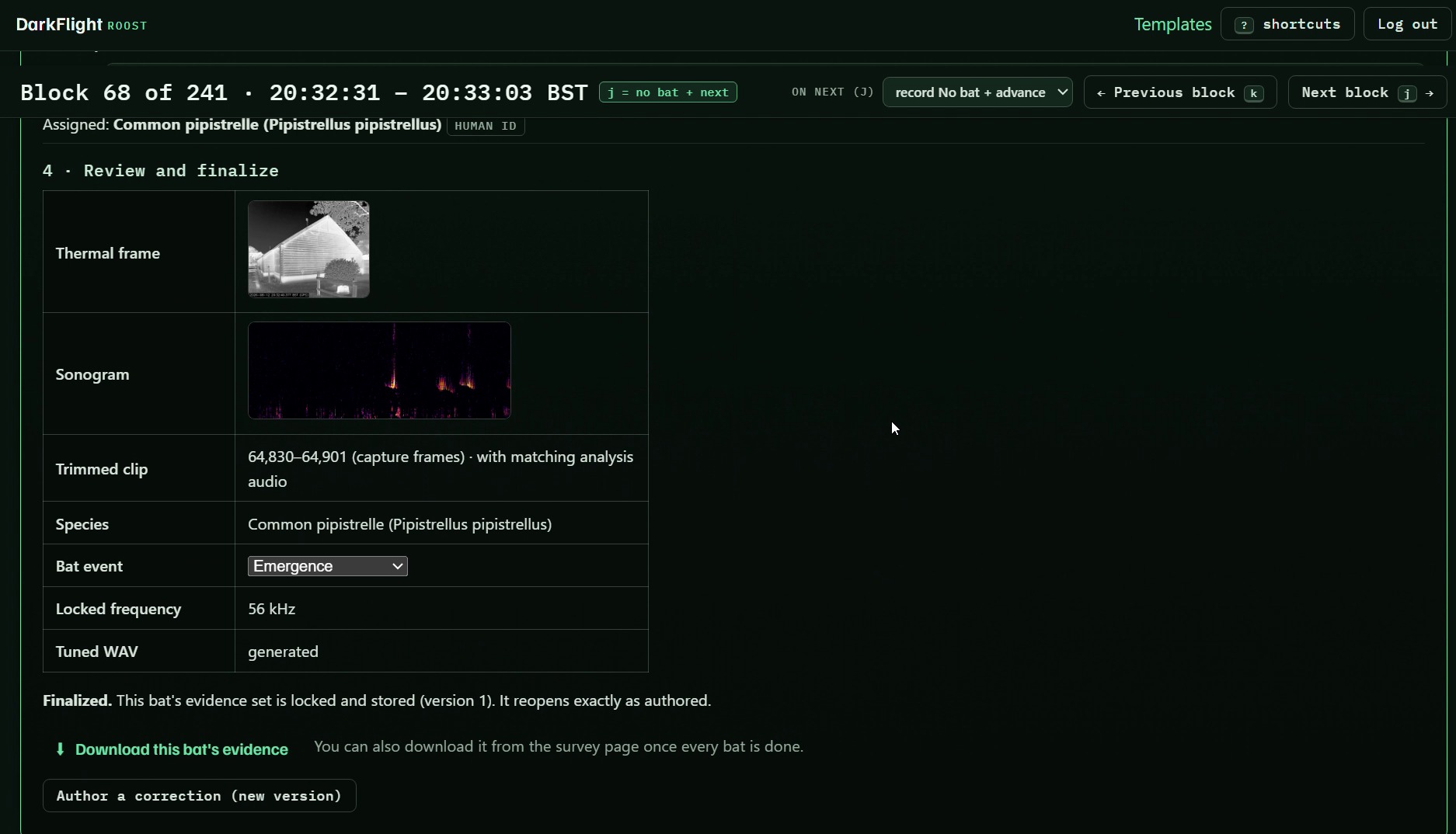
Choose a thermal frame that shows the event and set the start and end of its clip. Select the sonogram and tune the audio to the call you want to include.
Add your species and event decision, then save the package. The selected thermal evidence stays with the acoustic material and your review decision, ready to download for the report. A package can include full-spectrum WAV and tuned audio, and you can save separate packages for several events in one block.
See what still needs attention
Roost records review progress and highlights recording gaps. A block without a complete recording stays visible as a survey limitation.
Your review history stays with the survey
Your decisions remain linked to the blocks you reviewed, including corrections and events sent for a second opinion.
Roost access and support
Roost is included with every DarkFlight hire and for the first year when you buy a unit. After that, access costs £450 per unit per year, with the option to spread the cost at £37.50 per unit a month. Updates are included.
Hardware and software support continues for as long as you own your DarkFlight unit.
You can download survey video, acoustic files and the evidence packages for your own records.
Roost questions
Can I use recordings from another camera or detector?+
Roost currently works with DarkFlight recordings. It does not currently accept surveys recorded on other systems.
Does Roost identify bats for me?+
The thermal composites show movement. You inspect the source recording and decide what moved. The acoustic classifier can suggest a species from a call, which you check before recording your decision.
Do I need to review every block?+
Yes. Thermal and acoustic filters help you prioritise blocks with potential activity. Every block still needs a review decision, including those outside the filtered view. Open the video whenever a composite leaves you uncertain.
Can I combine thermal and acoustic filters?+
Yes. Use both to bring forward blocks with thermal change and ultrasonic activity. You inspect the original video and calls to decide what the evidence shows. Clearing the filters returns you to the whole survey.
Can I count bats from the composite?+
Use the source video to check the count and order of events. Several movements can overlap in a composite, and a bat that stays still may become difficult to see in a view designed to show change.
What can I download?+
Download your survey video, acoustic files and completed event packages for your records or further analysis. Event packages keep the selected thermal evidence and sonogram with your decision.
What does Roost cost?+
Roost is included with every hire and for the first year of ownership. After that it costs £450 per unit per year, with the option to spread payment at £37.50 per unit a month. Updates are included.
Try DarkFlight and Roost on a survey
Hire DarkFlight with Roost included, or get in touch if you are thinking about buying a unit.
Existing customer? Log in to Roost